Text inputs#
Single-line and multiline editing, wrapping scroll areas, and the two
composites that dress them up (SearchBox, GroupBox).
TextField#
Single-line editing with caret, drag/Shift+arrow selection, Home/End/arrow
navigation, and auto-scroll. on_change fires on every edit, on_submit on
Enter. set_password masks the field. Ctrl/Cmd+A/C/X/V read and write the
host clipboard via ctx.set_clipboard_source/sink (the GLFW backend wires
the system clipboard; without a host the shortcuts are silent no-ops).
TextArea#
The multiline variant: same editing model plus wrapped rows. set_rows
suggests a height in lines.
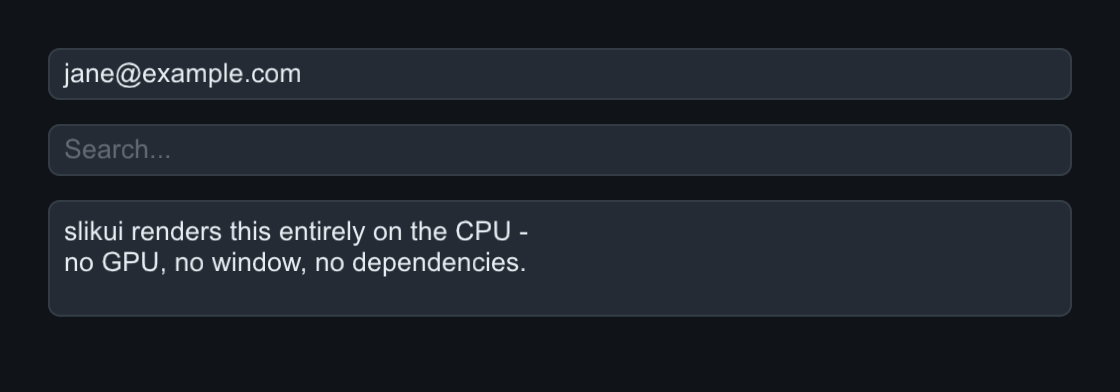
| API (both) | Signature |
|---|---|
set_text |
(std::string) - Python: also the text property |
set_placeholder |
(std::string) - elided with an ellipsis when wider than the field |
on_change |
(std::function<void(const std::string&)>) |
set_password |
TextField only - (bool) |
on_submit |
TextField only - (std::function<void()>) - fires on Enter |
scroll_x |
TextField only - () -> float - horizontal scroll; long text scrolls to keep the caret in view |
set_rows |
TextArea only - (int) |
ScrollArea#
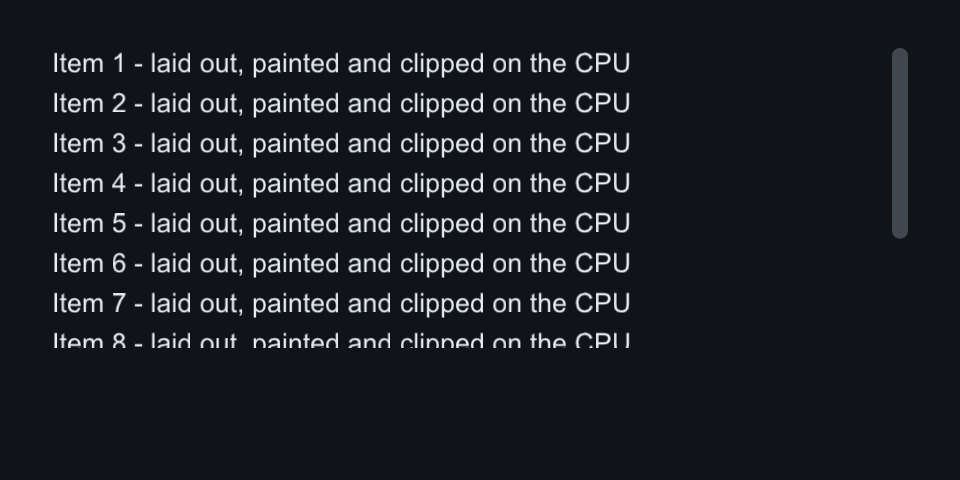
A scrolling viewport for one child. The child is measured at its natural size; wheel and drag scroll it, and the offset clamps whenever content or viewport heights change (including window resizes).
| API | Notes |
|---|---|
scroll_y() / max_scroll() |
content px above the viewport / its limit (as of the last layout) |
set_scroll_y(y), scroll_to_top(), scroll_to_bottom() |
applied and clamped at the next tick |
scroll_to(rect) / scroll_to(widget) |
least scroll that brings it into view; returns the distance moved |
remove(child) / clear_children() |
act on the content column |
hint_w_ / hint_h_ (Python hint_w / hint_h) |
size hint; set_expand() to fill a Column instead |
set_content_insets(left, right) |
viewport edge to content (default 2, 2); the bar gutter is added while scrolling |
The thumb sits 2 px from the ScrollArea's right edge. To put it at a pane's
edge, give the pane no right padding (Python:
pane.set_padding(8, 8, 0, 8)) and pad the other children instead.
Rows inside list widgets aren't widgets: TreeView::row_rect(i) and
ListView::row_rect(i) give a row's rect for scroll_to, e.g. revealing
the selected lesson in a sidebar:
SearchBox and GroupBox#
These two dress up the inputs above, but they are pictured with the shells family (a GroupBox + SearchBox + LogView row in the capture) - see Shells & dialogs.
Note
SearchBox wraps TextField (set_placeholder, on_change on every
edit, on_submit on Enter); GroupBox is a titled Panel.