Getting started - Python#
Install the bindings - pip picks the wheel matching your OS, CPU and Python (3.10-3.14 on Linux x86_64/aarch64, macOS arm64, Windows x64); without a wheel, pip builds from the sdist (needs a C++20 compiler):
Headless and testable by default: the software rasterizer renders into a
numpy framebuffer - no window, no GPU, no event loop required.
A first frame#
import slikui

ui = slikui.App(320, 200)                     # Target + Sink + Context + font
root = ui.set_root(slikui.Column, padding=16, gap=8)
root.add(slikui.Label, "Hello, slikui!", font_size=26)
root.add(slikui.Button, "Save", variant=slikui.ButtonVariant.Primary)

ui.tick(0.0, 1 / 60)                          # layout + animation
frame = ui.render()                           # zero-copy (H, W) uint32 ndarray

slikui.save_image(frame, "hello.png")
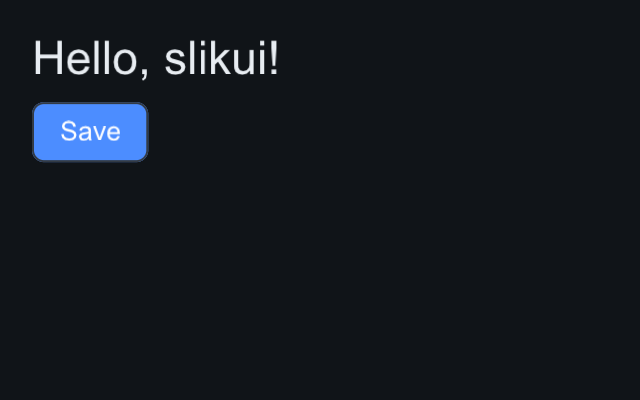
App is also a context manager; close() destroys the tree and releases the
Python callbacks it holds so shutdown is leak-free:
Responding to the user#
Widgets report what the user did through callbacks. Pass any callable to the
widget's on_... setter, or as a keyword argument when you add it:
status = root.add(slikui.Label, "Not saved yet")
root.add(slikui.Button, "Save", on_click=lambda: status.set_text("Saved"))

root.add(slikui.Slider, range=(0, 100),
         on_change=lambda v: status.set_text(f"Volume {int(v)}"))  # v: float

root.add(slikui.Dropdown, items=["Small", "Medium", "Large"],
         on_select=lambda i: status.set_text(f"Size {i}"))         # i: int
Callbacks run inside ui.handle(event), when the event that triggers them
is dispatched. Callbacks lists every widget's
callbacks, the arguments they receive, and when they fire.
Driving it with events#
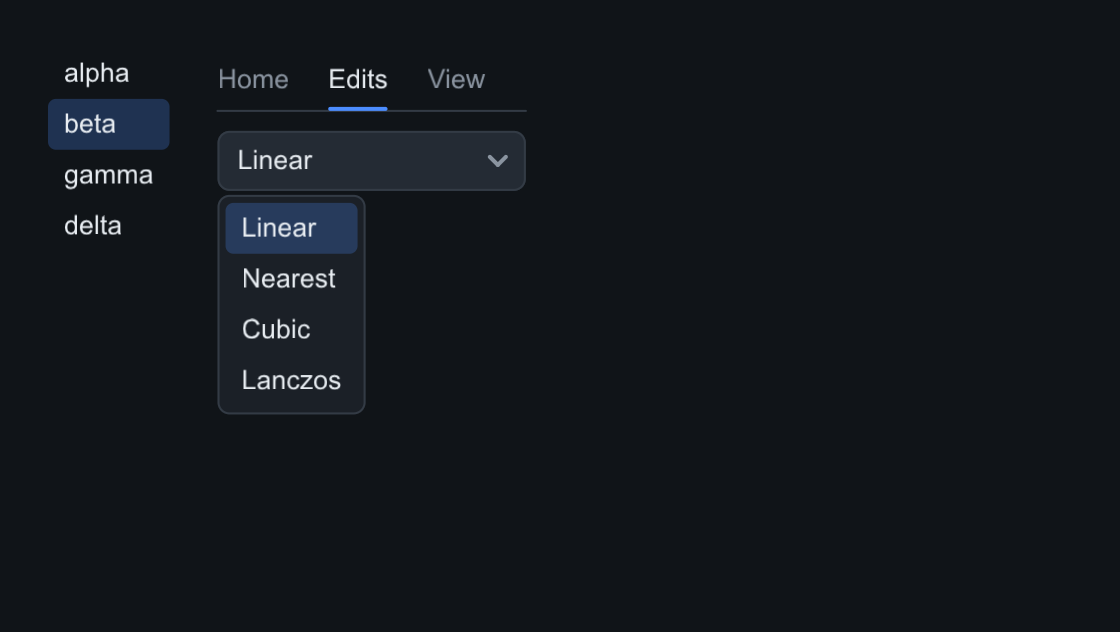
Build real slikui.Event values and push them through the real dispatch
path - this is exactly how the simulated-input tests work:
ui.handle(slikui.mouse_press((60, 40)))   # click through hit-testing
ui.handle(slikui.text_input("h"))         # into the focused TextField
ui.handle(slikui.scroll(pos, (0, -1)))    # wheel, "ctrl+shift" mods supported
Building from source#
The C++ side is header-only, nothing to link:
pip install -e .                  # editable, into your venv - from the repo root
python -m pytest python/tests     # widgets, events, custom widgets, renderer parity
python -m slikui.examples.hello   # shipped demos: writes hello.png in CWD
python -m slikui.examples --list  # the whole shipped suite
Interactive demos (optional deps): pip install glfw PyOpenGL, then
python python/examples/glfw_demo.py - the software rasterizer blended over
a GL scene - and python python/examples/showcase.py (every widget live;
--smoke out.png runs it headless and its transcript is byte-identical to
the C++ twin's).
The shipped suite has a live mode too: add --window to any example and the
same demo opens in a real GLFW window with mouse and keyboard wired through
the real event dispatch path - nothing about the headless modes changes.
pip install "slikui-python[demo]"           # glfw + PyOpenGL (quotes matter in zsh)
python -m slikui.examples.hello --window
python -m slikui.examples.gallery --window   # scrolls; click around
python -m slikui.examples.events --window    # the probe logs your input live
python -m slikui.examples.paint --window     # scrub the meter, toggle, watch it run
python -m slikui.examples.controls --window  # knob, XY pad, joystick
python -m slikui.examples.keyboard --window  # focus tour and Snake
python -m slikui.examples.window --window    # a small live app
All eight, with screenshots: Python examples.
The window host is a thin translation layer (GLFW callbacks -> slikui
events -> premultiplied blit of the core's framebuffer); the demos stay
importable without glfw or PyOpenGL, since the host is imported lazily.
Next#
- Callbacks - every widget's callbacks and what they receive
- Python examples - the shipped demo suite and its four modes (headless, smoke, docs capture, live window)
- Python bindings reference - App, events, your own renderer, custom widgets
- Widget index - everything you can put on screen
- Theming - presets and HiDPI scale