Custom widgets#
Both languages can define new widgets against the same core contract. The
C++ core lays out, paints, hit-tests and dispatches events to your class -
in Python this works through a nanobind trampoline, and it is pixel-identical
to the C++ path (there is a parity test against the C++ Swatch).
The widget contract#
A widget implements whichever of these it needs:
| Method | Role |
|---|---|
measure(const Constraints&) |
intrinsic size under bounds; return clamped Size |
arrange(const Rect&) |
assign own absolute frame + children (default assigns bounds) |
paint(const PaintEnv&) |
append draw commands to env.list (before the children) |
paint_over(const PaintEnv&) |
draw on top of the children (decorations, overlays) |
on_event(const Event&) |
return true to consume an event |
tick(Time) |
animation / per-frame state |
focusable(), expands_main(), stretch_cross() |
opt-in layout/focus behavior |
tooltip_at(Vec2) |
tooltip text for the pointer position (per-part tips); default the set_tooltip text |
clip_rect() |
container clipping for its subtree (painting and hit-testing) |
child_clip_rect(const Widget&) |
C++ only: extra clip for one child's subtree (e.g. per pane) |
scroll_into_view(const Rect&) |
C++ only: scrolling containers bring a keyboard-focused descendant into view |
attached(Context&) |
called once when the widget joins a context |
theme_changed() |
the context's theme changed (UI scale/zoom, preset, palette): drop cached text layouts or theme-derived colors |
Layout runs in Context::tick (Python app.tick()), not in render: bounds
are zero, and context() is null, until the first tick after a widget is
added. What on_event receives - every mouse button, synthesized
Click/DoubleClick, MouseEnter/MouseLeave, FocusGained/FocusLost,
KeyRelease - and the mouse-capture drag idiom are in
Input & events.
Frames are absolute framebuffer coordinates; paint_tree, hit-testing and
tick_tree all recurse through children, so a wrapper widget that only
overrides measure/arrange keeps its subtree fully live.
Painting emits into env.list (rect, hollow_rect, line, circle,
image, glyph, clip stack) using env.theme colors - the same
DrawList commands every backend receives.
env.visible_rect is the part of the window your drawing can show
through: the frame, narrowed by every clip above the widget (a ScrollArea's
viewport, a Splitter pane). It's in the same coordinates as bounds.
Anything outside it is clipped away, so a long widget can skip it. For
example, a list with fixed-height rows draws only rows
floor((visible.y - bounds.y) / row_h) to
ceil((visible.bottom() - bounds.y) / row_h). TreeView, ListView and
Table do this.
Record once, replay every frame#
A widget whose drawing rarely changes (a chart, a score, a diagram) doesn't
need to re-issue every command each frame. Record the drawing into your own
DrawList at the origin, then append the recording to env.list with one
call, moved to where the widget is. Appending copies commands in C++, so in
Python it costs one call however long the recording is. Replaying 2,000
commands is about 40x faster than drawing them again.
- Re-record in
theme_changed. A recording holds theme colors and, for text, glyph positions in the font atlas, which are only valid at the scale and font it was recorded with. - Start from an array.
DrawList.extend(array, offset)appends from aDRAWCMD_DTYPEarray, the formatas_array()returns. Commands are checked first. - Keep clips balanced. Both calls reject a list whose
push_clip/pop_clipdon't match.
Drawing text#
env.text draws a string at a point and env.text_in draws it inside a
rect. With no options you get the theme's body font, size and text color;
pass only what differs. Both return the rect the text occupies, so you can
place what comes next. Sizes are logical px - theme scale is handled for
you.
void paint(const slikui::PaintEnv& env) const override {
    using slikui::TextAlign, slikui::TextVAlign, slikui::TextOverflow;
    env.text({bounds.x, bounds.y}, "Hello");
    env.text_in(bounds, "42%", {.size = 20, .bold = true,
                                .align = TextAlign::Center,
                                .valign = TextVAlign::Middle});
    env.text_in(cell, name, {.overflow = TextOverflow::Ellipsis});

    slikui::Rect r = env.text({x, y}, "42", {.size = 24, .bold = true});
    env.text({r.right(), y}, "%", {.size = 14});    // follows the number
}

Size measure(const slikui::Constraints& c) override {
    return c.clamp(ctx->text_size("42%", {.size = 20, .bold = true}));
}
def paint(self, env):
    env.text(slikui.Vec2(self.bounds.x, self.bounds.y), "Hello")
    env.text_in(self.bounds, "42%", size=20, bold=True,
                align="center", valign="middle")
    env.text_in(cell, name, overflow="ellipsis")

    r = env.text(slikui.Vec2(x, y), "42", size=24, bold=True)
    env.text(slikui.Vec2(r.x + r.w, y), "%", size=14)

def measure(self, constraints):
    return constraints.clamp(self.context.text_size("42%", size=20, bold=True))
The options (slikui::TextOpts), all defaulting to the theme:
| Option | Meaning |
|---|---|
font |
family or role: "body" (default), "heading", "mono", or a name passed to add_font |
size |
logical px; 0 = theme.base_font_px |
color |
alpha 0 / None = theme.text |
bold, italic, underline, strike |
style; missing faces are synthesized |
align |
Left / Center / Right: which part of the text sits on the point, or alignment inside the rect |
valign |
Top / Middle / Baseline / Bottom |
wrap |
wrap to the rect width (text_in) or max_width (text) |
max_width |
text only: the available width for wrap and overflow |
overflow |
Visible, Clip to the available width, or Ellipsis (single line) |
In C++ the options are a struct, so designated initializers must follow the
order of the table ({.size = 20, .bold = true}, not
{.bold = true, .size = 20}); a reusable style is just a
static const slikui::TextOpts. Python takes them as keyword arguments, and
align / valign / overflow also accept lowercase names ("center").
ctx->text_metrics(opts) gives ascent, descent and line height for laying
out lines yourself.
env.text lays out on every call, and the context caches the result, so
drawing the same strings every frame is cheap. For interactive text, keep a
TextBlock instead: it is laid out once, drawn with env.draw(block, pos),
and answers hit_test(point), caret_rect(index) and
selection_rects(start, end) (byte offsets in C++, str indices in Python).
slikui::TextBlock block = ctx->text_layout(paragraph, /*wrap_width=*/240, {.font = "mono"});
size_t caret = block.hit_test(click_pos - top_left);
Worked versions of all of this - a tag sized by text_size, a stat card,
ellipsis vs wrapping, and drag-to-select on a TextBlock - are in the
text example (python -m slikui.examples.text --window) and its C++
twin examples/07_text; see Python examples.
C++ example#
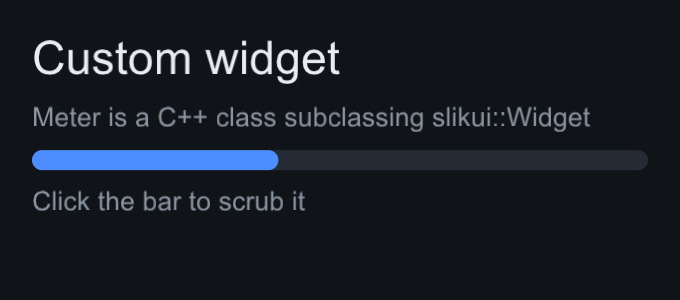
Define the widget, implement measure/paint/on_event, add it like any
other. Meter below is the C++ twin of the Python example further down -
the capture tool renders the identical tree: same 10 px measure, same paint
math, same click-to-scrub event. State is a private float in C++ and a
plain attribute in Python; the trampoline forwards the protocol calls either
way.
class Meter : public slikui::Widget {
public:
    explicit Meter(float value = 0.f) : value_(value) {}

    Size measure(const Constraints& c) override { return c.clamp({0.f, 10.f}); }

    void paint(const slikui::PaintEnv& env) const override {
        env.list.rect(bounds, env.theme.surface_alt, bounds.h / 2);
        if (value_ > 0.f)
            env.list.rect({bounds.x, bounds.y, bounds.w * value_, bounds.h},
                          env.theme.accent, bounds.h / 2);
    }

    bool on_event(const slikui::Event& e) override {
        // Click to the left/right of the fill to move it.
        if (e.type == slikui::Event::Type::MousePress && bounds.contains(e.pos)) {
            value_ = std::clamp((e.pos.x - bounds.x) / bounds.w, 0.f, 1.f);
            return true;
        }
        return false;
    }

private:
    float value_ = 0.f;
};

auto& title = root.add<slikui::Label>("Custom widget");
title.set_font_size(26);
root.add<slikui::Label>("Meter is a C++ class subclassing slikui::Widget")
    .set_color(ctx.theme().text_dim);
root.add<Meter>(0.4f);                     // stretch_cross() defaults to true
root.add<slikui::Label>("Click the bar to scrub it")
    .set_color(ctx.theme().text_dim);
examples/05_showcase ships two production custom widgets: Fill (expands
on the main axis and hands its whole area to a single child) and
LevelMeter (LED bar with click/drag scrubbing, peak-hold and a warning
gradient).
Python example#
Subclass slikui.Widget, implement measure / paint / on_event (plus
opt-in tick, stretch_cross, expands_main, focusable, arrange,
clip_rect, paint_over, attached, theme_changed, widget_type). Widgets read
self.bounds, self.focused and self.context (for
capture_mouse/release_mouse/set_focus), and can call
self.request_focus() and self.set_cursor(...):
class Meter(slikui.Widget):
    """A horizontal bar that fills as `value` (0..1) approaches 1."""

    def __init__(self, value=0.0):
        super().__init__()  # required
        self.value = value

    def measure(self, constraints):
        return constraints.clamp(slikui.Size(0, 10))

    def paint(self, env):
        env.list.rect(self.bounds, env.theme.surface_alt, self.bounds.h / 2)
        if self.value > 0:
            fill = slikui.Rect(self.bounds.x, self.bounds.y,
                               self.bounds.w * self.value, self.bounds.h)
            env.list.rect(fill, env.theme.accent, self.bounds.h / 2)

    def on_event(self, event):
        # Click to the left/right of the fill to move it.
        if event.type == slikui.EventType.MousePress and self.bounds.contains(event.pos):
            v = (event.pos.x - self.bounds.x) / self.bounds.w
            self.value = max(0.0, min(v, 1.0))
            return True
        return False
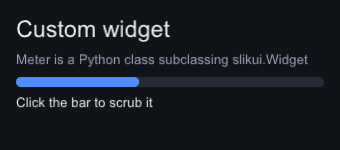
Add instances with container.add_widget(obj) or
container.add(Meter, 0.4); a custom root is context.set_root_widget(...).
Python state lives in ordinary instance attributes.
Rules and gotchas#
- Python subclasses must call
super().__init__(). - Besides
slikui.Widget, you can subclassPanel,ColumnandRow: overrides dispatch, andsuper()calls reach the built-in behaviour (super().paint(env)draws the panel,super().measure(c)lays out the children). Other bound types (Slider,Button, ...) have no override seam - overridingon_event,paint, ... on them raisesTypeErrorat class creation. To decorate one of those, wrap it: delegatemeasure/arrangeto the child and draw inpaint_over(LimitSliderinslikui.examples.controls). - Draw text with
env.text/env.text_in(see Drawing text);Labelwidgets beside a custom widget still work for captions. - Keep the wrappers
add()returns (self.slider = self.add(slikui.Slider)) and capture them in callbacks freely. They are views of widgets the tree owns: valid until the tree drops the widget (remove,App.close(), or its container being destroyed). Using one after that raisesTypeError. - Callbacks into Python must outlive the tree:
App.close()(context manager exit,atexit) releases them; see Python bindings. - The full worked example ships in the wheel:
slikui/examples/paint.py(runpython -m slikui.examples.paint --docs-image custom_widget docs/images/custom_widget.pngto regenerate the image above; the demo page has Sparkline, RadialGauge, ClockFace and a layout-bounds wrapper beside the Meter). The interactive twin ispython/examples/showcase.py.